
Screenshots
About AR Drawing: Sketch & Paint
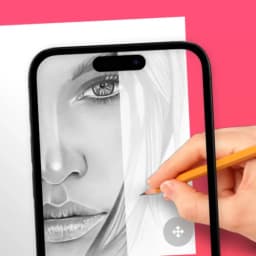
AR Drawing: Sketch & Paint uses augmented reality to teach you drawing through a completely new method. By layering virtual guides over the real world via your device's camera, the app lets you trace and paint directly onto paper while watching your hand move across the screen. This bridges the gap between digital instruction and traditional art-making.
The core technique is straightforward: select a template from the extensive library, view the AR guide overlaid on your paper through your camera, and follow the outline as you sketch. Your hand remains visible throughout the process, so you can see exactly how each stroke translates to the final piece. Once you finish and move your phone away, your completed artwork exists on the physical page—a tangible result of the augmented reality coaching.
The app includes a wide range of templates across different difficulty levels and subjects, so whether you're starting with basic shapes or attempting complex scenes, there's something to work with. Customization options let you adjust colors and choose from multiple brush styles to match your artistic vision. If lighting is dim, you can activate your device's flashlight to illuminate your workspace without losing the AR guide.
Capturing your creative process is built in—record your entire drawing session from start to finish. These recordings work well for sharing on social media, letting friends and family watch your technique in action or simply celebrate your finished piece. You can also revisit and refine existing sketches by opening them again within the app.
This approach to learning combines visual guidance with hands-on practice in a way traditional tutorials cannot match. The real-time overlay removes the guesswork of proportions and placement, making it easier to focus on brush control and shading. With consistent practice, you'll develop muscle memory and confidence that transfers to drawing without AR assistance.
AR Drawing: Sketch & Paint works on Android 8.0 and newer devices. The app is free to download and use, with optional premium features available to remove ads and unlock additional content. Start with any template that appeals to you and let augmented reality guide your creative journey.
Pros & Cons
Pros
- AR overlay removes guesswork about proportions and placement
- Templates span multiple difficulty levels for all skill levels
- Creates tangible physical artwork on paper, not just digital
- Built-in recording lets you capture and share your drawing process
Cons
- Free version includes ads; premium features require purchase
- Requires steady hand and proper lighting to trace AR guides effectively
- Camera must stay positioned over paper throughout entire drawing session
- Limited to tracing templates rather than drawing from imagination or reference
Related Apps

Aseprite
Pixel art editor and animation tool for game developers and digital artists. Create and animate sprites with precision.

GIMP
Open-source photo editor and digital art studio with professional tools for retouching and illustration.

Paint.NET
Free photo editing software with layers, effects, and unlimited undo for Windows.

Scribus
Desktop publishing and page layout design with professional typography, PDF export, and free open-source tools.

Paint 3D
Free 3D and 2D drawing app with brushes, shapes, textures, and a built-in 3D object library

Adobe InDesign
Professional page layout and design software for print and digital publications — Adobe InDesign.
Latest Articles

Play a free Color Ball Sort Puzzle-style game in your browser (no download)
Oct 6, 2026

Play a free Beach Buggy Racing-style kart racer in your browser (no download)
Oct 6, 2026

Play a free Alto's Adventure-style game in your browser (no download)
Oct 6, 2026

Free online whiteboard like Jamboard: use Quickboard in your browser, no signup
Oct 6, 2026

Free online running pace calculator: splits, race predictor and daily challenge, no download
Oct 6, 2026